In this article I will talk about how we can create a partition in RHEL. Here you will learn the simplest easy way to make partition
You can make partiton by two methods. i.e. during installation and after installation. Here Im make partition after installation. watch it very carefully and read it step by step so that you can easily create partition.
follow step by step
1. how to check your hard disk info.
#fdisk-l
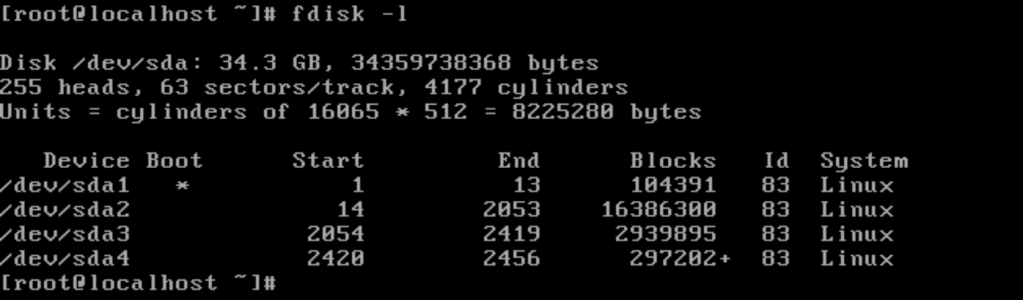
2. Now, by checking your hard disk details, you can make a hard disk partition according to yourself. For that you should follow the steps given below
[root@localhost ~] fdisk /dev/sda

- command (m for help)= n (type n here) (n for new)
- e or p ( type e for extended partition and p for primary partition )
- 2,3,4,5 (type your partition number)
- +800M (according your disk available size )
- command (m for help)= w (type w means save changes )
- command (m for help)= p (type p means print check your partion created or not)
3.Your system requires a reboot type a command reboot your system to use your partition
#partprobe /dev/sda
4. how to Format your disk partiton
#mkfs.ext3 /dev/sda3 (type your partition no. 2,3,4)
5.To temporary mount disk mount it in a folder / directory, you need to create a new directory.
#mkdir /a
#mount /dev/sda2 /a
 Welcome To Technical World
1 thought on “how to easy way create partiton in redhat”