yum (Yellowdog Update Modifier)
in this tutorial you will learn very easily how to install yum Server. yum server very important server. After installing Yum Server, we can easily install all the other server.watch carefully and follow step on step.
install everything software in window
and how to enable http option in everything software
open everything software and press ctrl + p automatic open a new tab nd show more server list click on last option http server and enable http server
check your ip address first
#ifconfig
how to disable old ip address
#dhclient -r
how to release new ip address
#dhclient
your redhat and window system firewall off first
#iptables -F (firewall of in redhat)
#setenforce 0 (security mode of in redhat)

firewall off in window
open Control Panel>System and Security>Windows Defender Firewall and turn off firewall
work in redhat
open terminal and type command
how to connect window with redhat system and transfer data files with window ip
#elinks 192.168.43.229
        (type your window ip)
select your rhel file drive nd save in redhat system
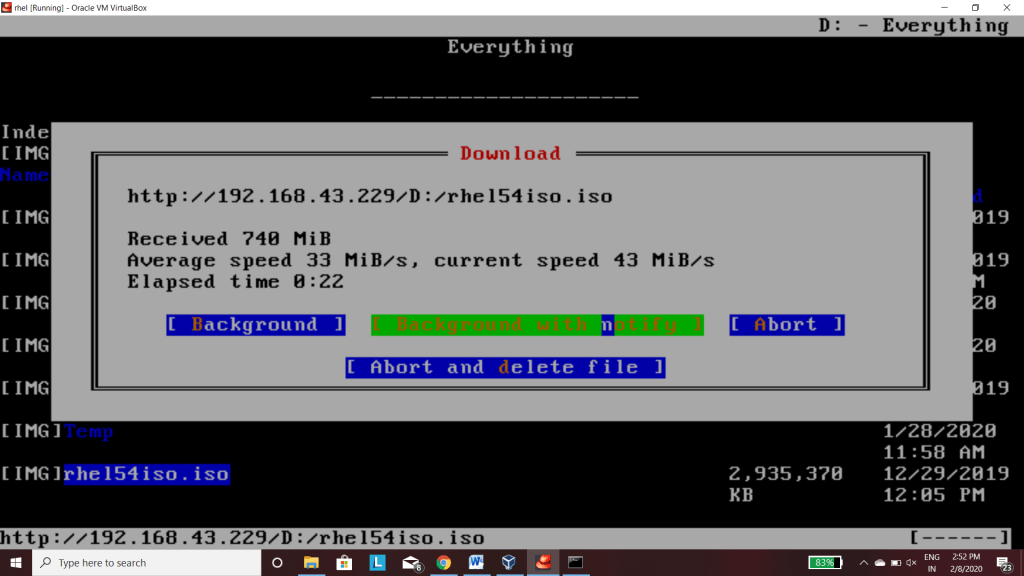
how to mount rhel iso file in mnt folder
#mount –o loop rhel5.4iso.iso /mnt
how to open mnt folder
#cd /mnt

show server file in mnt folder
how to extract server file in root folder
#cp –rv Server /root/
how to yum file configuration
#vim /etc/yum.repos.d/a.repo
and press i key and select edit mode and type
[a]
baseurl=file:///root/Server
gpgcheck=0
 nd save this edit file press (esc)
and press :wq
w for save
q for quit
your yum server install completed sucessfully. try any command and install any server
yum install java
yum install python
yum install telnet
 Welcome To Technical World