First of all you need to understand what is the Apache virtual hosting.
Setting up more then One Host/Site over Single Server is called Virtual Hosting.
Three types are virtual hosting
- IP based virtual hosting
- Name based virtual hosting
- Port based virtual hosting
Mostly use two types of virtual hosting
- IP based virtual hosting :-
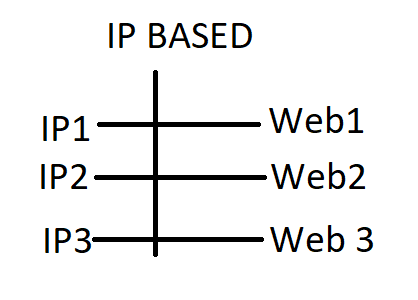
You can assign a different IP for each website on a single server using IP-based virtual hosting.
How to create a virtual IP
[root@localhost ~]# ifconfig eth0:1 192.168.43.229
[root@localhost ~]# ifconfig eth0:2 192.168.29.229
default path :- /var/www/html
how to open configuration file
[root@localhost ~]# vim /etc/httpd/conf/httpd.conf

(and edit this config. file)
2. Name based virtual hosting :-
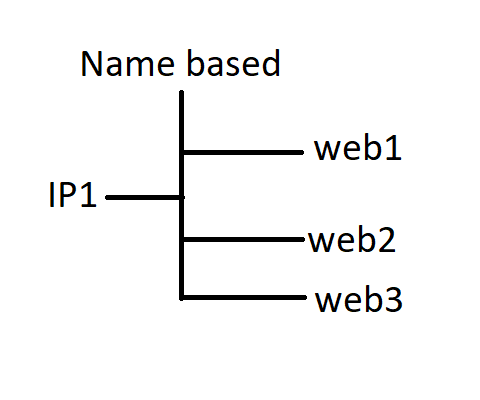
Name based Virtual Hosting is used to serve different websites hosted on the same IP address or Port no. 80
how to open configuration file
[root@localhost ~]# vim /etc/httpd/conf/httpd.conf

(and edit this config. file)
NameVirtualHost 192.168.29.229:80

ServerName localhost

DocumentRoot /var/www/html
 Welcome To Technical World